
SOP of Intl. booking IMA.pdf
STANDARD OPERATING PROCEDURE (SOP)
International Article Booking through IMA by Branch Postmaster (BPM) Section–A : Role Assignment in APT IT 2.0 (Mandatory)
Role Assignment by ASP/IP in APT IT 2.0ASP/IP logs into APT IT 2.0 portal using APT ID and assigns the role International Article Booking under the Roll Management module to the concerned BPM.

Section–B : International Booking Process in IMA

Only after this role assignment,
BPM can book international articles through IMA by
Open Counter Operations in IMA and tap on International Booking (Intl. Booking)
Section–B : International Booking Process in IMA
Select Mail Type Nature such as


Document, Gift, Returned Goods or
Others
Section–B : International Booking Process in IMA
Select the Destination Country for in

ternational transmission.
Select the applicable International Mail Ser

vice (Tracked Packet / Speed Post / Air Par
cel).
Section–B : International Booking Process in IMA
• Enter Weight (grams),

• select Non-Delivery Instructions,
• enter Total Declared Value (INR) and
• No. of Quantity units.
• then click on Next button
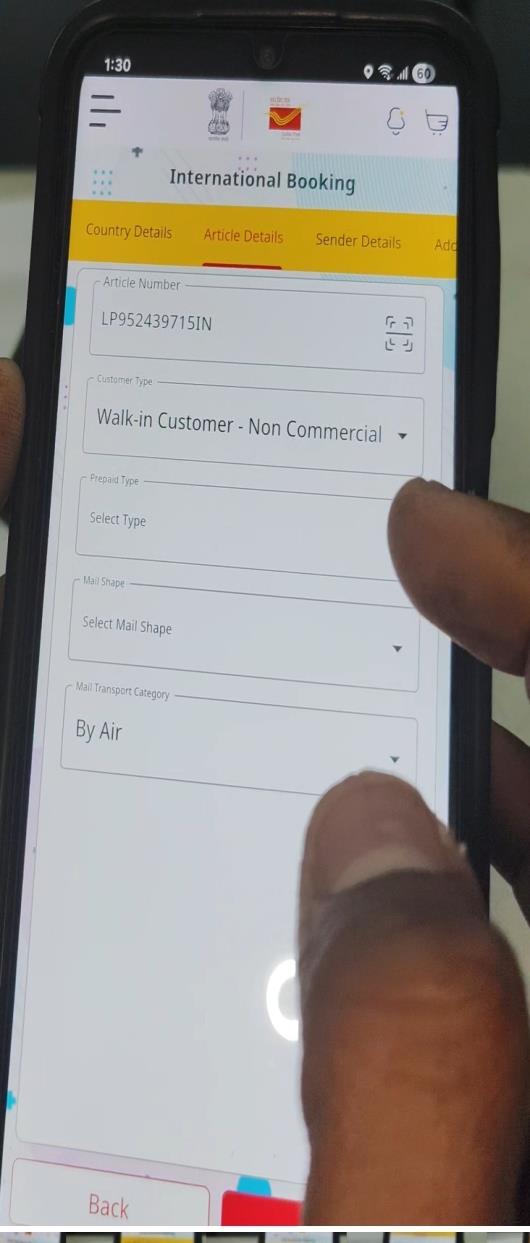
Article Number is to be scanned or en
tered manually using the scannericon;
Section–B : International Booking Process in IMA
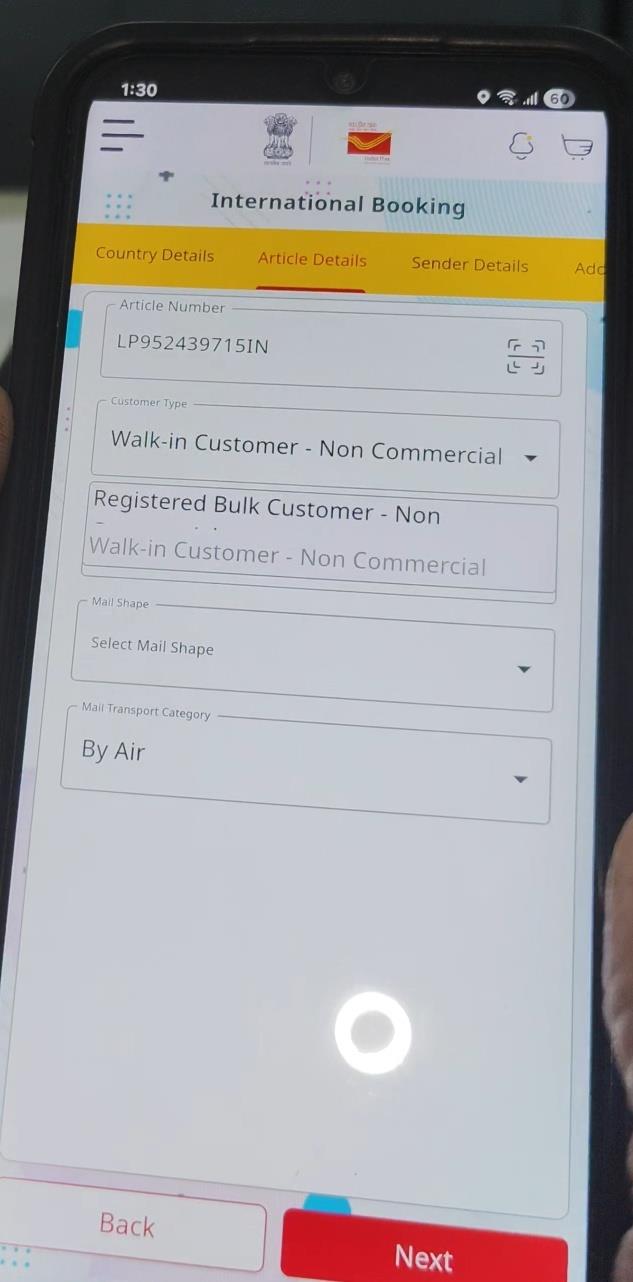
Select Customer Type as Walk-in Customer (Non-Commercial) or Regis tered Customer
then select Mail Transport Category.
Select Prepaid Type, if applicable
Section–B : International Booking Process in IMA
Choose Mail Shape as Box Type or Roll Form.

For Box Type articles, enter Length, Width and Height in centim
etres.

if Non Roll form selected t
hen enter correct
Length, width and height i
n cms
(please note minimum
length is 14 width is 9
height is 1)
Section–B : International Booking Process in IMA
Verify the Postage Details displayed by the system and
confirm the tariff and

then click Next button

Enter complete sender details
Section–B : International Booking Process in IMA
Enter compete and correct Addressee Details includingCount
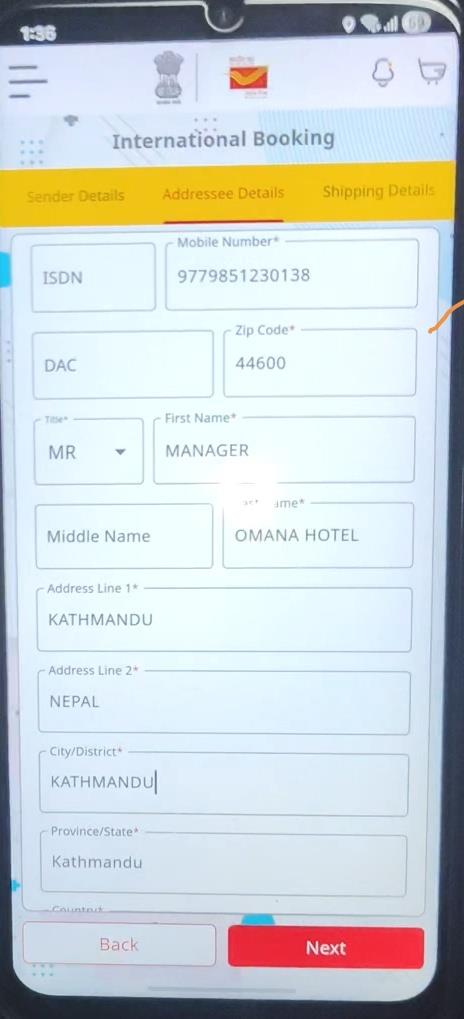
ry and postal code.

after entering complete details then click nextbut
ton
Section–B : International Booking Process in IMA
Fill Shipping Details including Item Description and ma

ndatory HS Code.
PLEASE NOTE ENTER CORRECT HS CODE OF EACH ITEM CONTAINED IN THE
ARTICLE. IT MUST BE SPECIFIC i.e. HSCOD OF LINEN T-SHIRT etc INSTEAD
OF USING GENERAL WORDS.
Enter Origin country (of item), Quantity of Units (means number o
f item inside the box as declared by customer), Item Count,Item V
alue (value of each item)(if more then one item in a
single article then enter particulars of each items one by one after
clicking Add Subpiece Data, Item Gross Weight ,
Item Net Weight
Then click on Add Subpiece Data
Then Click on Next
Section–B : International Booking Process in IMA

Review the Booking Summary showing sender, addressee an
d tariff details.
then click on Customer has submitted the Customer De

claration Form
Tap Book Now to complete booking ,
verify OTP
and MAKE PAYMENT OF ARTICLE BY CA
SH/ DIGITAL PAYMENT MODE
and Then generate receipt.
Section–B : International Booking Process in IMA

Final receipt is printed and handed over to the customer as pro
of of booking.
TO PRINTER
CN22 OR CN23 FORM PLEASE NOTE TILL RELEVANT PRIN
TERS NOT PROVIDED. PLEASE ATTACH CN22 OR CN23 FORM
OF
ARTICLE MANUALL DULY SIGNED BY CUSTOMER AND ATTA
HED RELEVANT DOCUMENT AS APPLICABLE.
CN22 OR CN23 CAN BE PRINTED FROM SO/HPO CONCERNED
Regards: Nitish Garg ,SM Sangrur-148001